
When you work independently, appointment admin rarely stays neatly within business hours. A client messages while you are with someone else, another asks which times are free next week, and a third wants to move an appointment arranged through a different channel.
Each request may take only a few minutes, but the interruptions add up. You have to check your diary, reply, wait for confirmation and possibly repeat the process if the slot is no longer suitable. Meanwhile, you are trying to deliver treatments, prepare your space, manage stock and keep client records up to date.
That is where simpler **online booking for beauty businesses** can help. It gives clients a direct way to view genuine availability and choose an appropriate appointment, reducing the amount of routine back-and-forth you need to handle manually.
Identify where appointment admin is really coming from
Before changing your booking process, look at the tasks that take the most time. The issue may not be the number of bookings. It may be the number of separate steps and conversations involved in securing each one.
Common sources of appointment admin include:
- answering “What do you have available?” messages;
- checking the diary before every reply;
- explaining service lengths or booking requirements repeatedly;
- copying appointments from messages into a calendar;
- confirming dates and times manually;
- sending reminders one client at a time;
- searching through old conversations for client information;
- coordinating diaries across team members or locations;
- dealing with incomplete booking details.
Make a quick note of these tasks over a typical working week. This will show you where a simpler system could have the greatest practical effect.
Give clients a clear route to book
Clients may contact you through social media, text, email or phone because that is the route available to them. If several channels are treated as booking systems, however, your diary becomes dependent on you seeing and processing every message.
A clearer approach is to create one main booking route. You can still answer questions personally, particularly when a client is unsure which service is suitable, but straightforward appointments can go through your online portal.
Place the booking link wherever clients are likely to look for it, such as:
- your website;
- social media profiles;
- confirmation or follow-up messages;
- your email signature;
- a digital business listing;
- a QR code displayed in your workspace.
Use simple wording such as “View availability and book online”. Clients should immediately understand what the link is for.
Show real availability instead of discussing possible times
One of the biggest causes of booking admin is the availability conversation. A client asks for Friday afternoon, you suggest two times, and they reply later when one of those slots has already been taken.
A portal with real-time availability allows the client to see the appointments that are currently open. They can compare those options with their own schedule and select one without waiting for a response.
For this to work well, your working hours and diary need to be accurate. Block out holidays, breaks and other commitments promptly. Check that each service has the right duration so the system does not offer time you cannot realistically accommodate.
It is also worth reviewing the gaps between appointments. If you need time for cleaning, preparation or a short break, account for that when configuring your schedule rather than relying on yourself to remember it later.
Keep the booking journey short
An online system should remove friction, not create another obstacle. If clients face too many screens, unnecessary questions or a forced account setup, they may abandon the process and message you instead.
A simple booking journey should make it easy to:
1. choose a service;
2. select a suitable professional or location, where relevant;
3. view available dates and times;
4. provide the information needed for the appointment;
5. review and confirm the booking.
Only collect information that serves a clear purpose. Essential intake questions may need to be completed, but general booking forms should remain focused. Service names and descriptions should also be understandable to clients rather than relying on internal shorthand.
Test the journey yourself on a mobile phone. Check how quickly you can identify the correct treatment, find a time and complete the booking. This gives you a more realistic view of what clients experience.
Set clear expectations before confirmation
Online booking can reduce repetitive questions when the essential information appears at the right stage. Review each service and consider what a client needs to know before confirming.
This could include the treatment duration, who the service is suitable for, any preparation required and whether a consultation should be booked first. Your cancellation and rescheduling terms should also be presented clearly and written in plain English.
If you take deposits, explain when a deposit is required and how it relates to the appointment. A booking tool that supports deposits can bring this step into the booking journey rather than requiring a separate exchange of messages.
Avoid overwhelming clients with long blocks of text. Put the most important details close to the relevant service or confirmation step, then provide fuller guidance separately when needed.
Automate routine reminders while keeping communication personal
Manually reminding every client is easy to forget during a busy day. Automatic appointment reminders make the process consistent without requiring you to work through the diary one booking at a time.
A reminder does not guarantee attendance, but it gives clients a timely prompt to check the appointment details. It may also encourage someone to contact you sooner if they need to discuss a change.
Automation does not mean every interaction has to feel impersonal. Use automated communication for predictable administrative tasks, then focus your personal attention where it is most valuable: consultations, treatment advice, individual concerns and the in-person client experience.
Keep booking information and client records connected
Appointment admin often continues after the booking is made. You may need to find previous treatment details, review intake answers or add notes following a visit. When that information sits across paper forms, message threads and separate documents, preparation takes longer.
A central client record makes relevant information easier to locate. It also supports continuity when a client returns or sees another authorised team member.
Good record-keeping still requires consistent habits. Decide what should be recorded after each appointment, keep notes professional and factual, and only give team members access appropriate to their role. Review your process periodically so old workarounds do not creep back in.
Review the system as your business changes
Online booking is not a one-off setup task. Services, working hours and team arrangements change, so schedule a regular diary review.
Check for outdated treatments, unclear names, incorrect durations and availability that no longer reflects how you work. If you have staff or multiple locations, confirm that each service is assigned correctly and that role-based access matches current responsibilities.
Client questions are useful feedback. If several people ask the same thing before booking, your service description or booking instructions may need to be clearer. If clients frequently choose the wrong appointment, reconsider how services are grouped and named.
How ClientaHub supports a simpler booking process
ClientaHub provides a public online-booking portal with real-time availability. Clients can book online in about 30 seconds without creating an account or installing an app, helping to keep the journey straightforward.
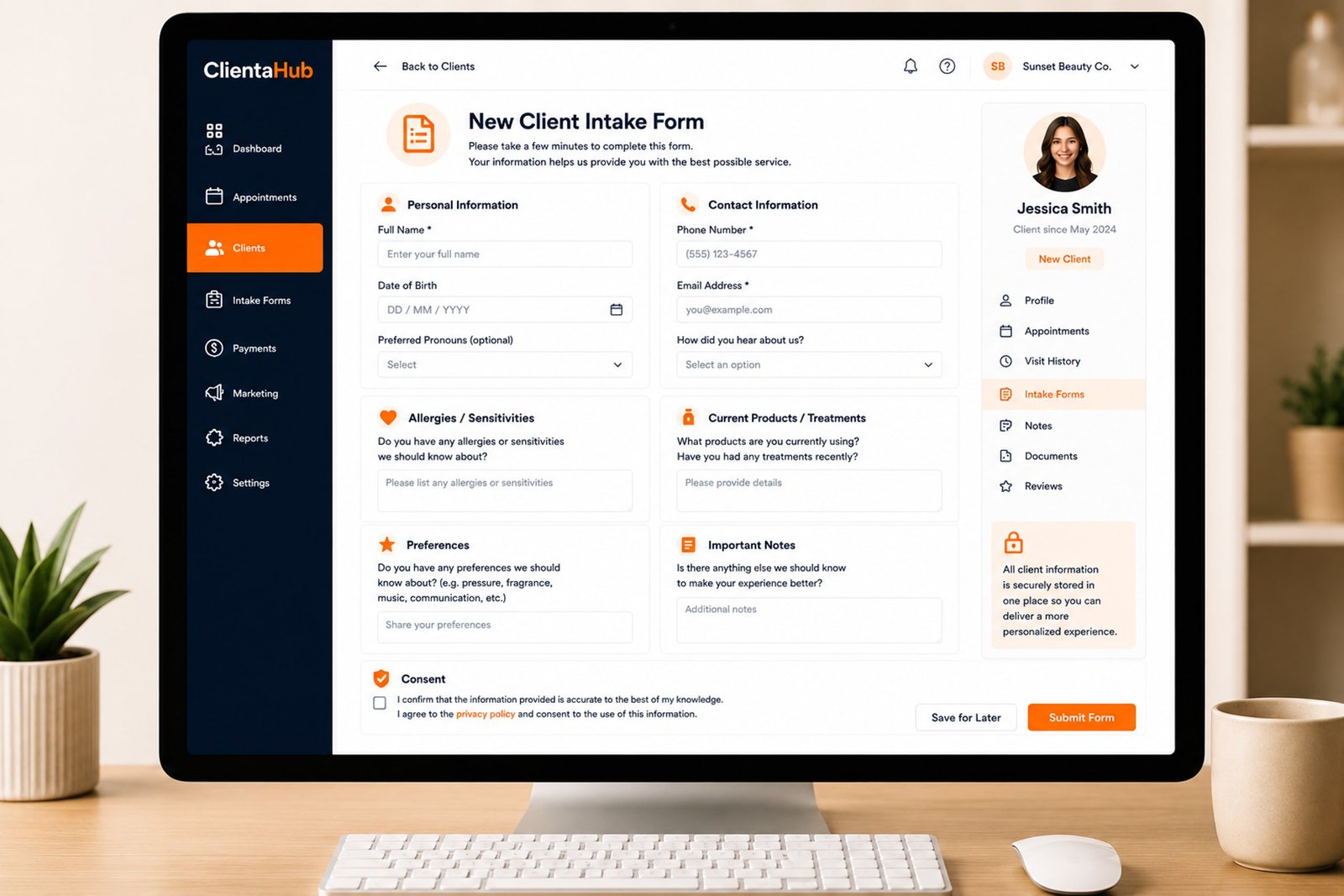
The platform sends automatic 24-hour appointment reminders and keeps appointment history, private notes, intake answers and feedback together in one client record. It also supports deposits and visit-based loyalty programmes.
For businesses with a team or more than one premises, ClientaHub supports staff, role-based access and multiple business locations. These features can help bring booking and client administration into one organised process, although the quality of the result still depends on maintaining accurate availability, clear services and consistent records.
If you would like to see whether simpler online booking could suit the way you work, you can gently explore ClientaHub through its 30-day free trial, with no credit card or setup fee required.